Get every lecture, note and quiz
Sign in with the Google account you use on YouTube.
Not subscribed yet? Subscribe first1Choose your account
Pick the Google account you use on YouTube. It must be at least 1 month old.
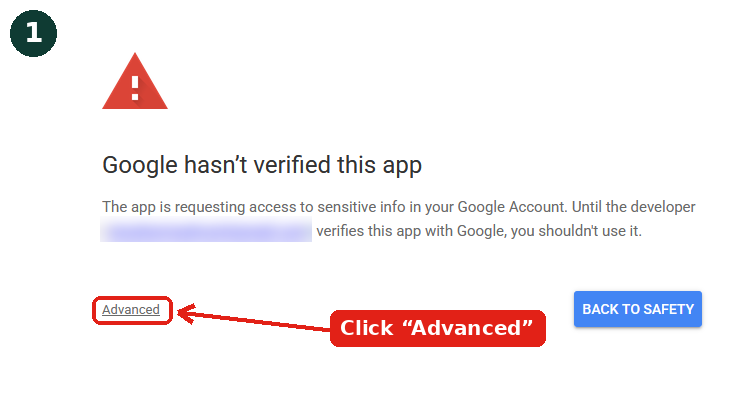
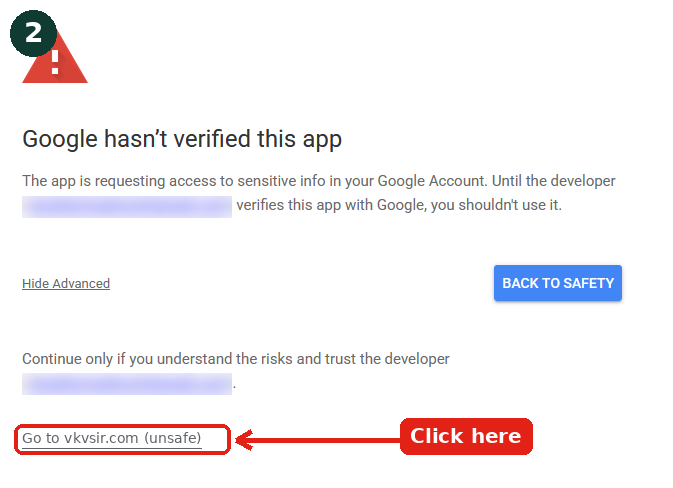
2"Google hasn't verified this app"?
That's normal while Google reviews our new app. Click Advanced → Go to vkvsir.com.
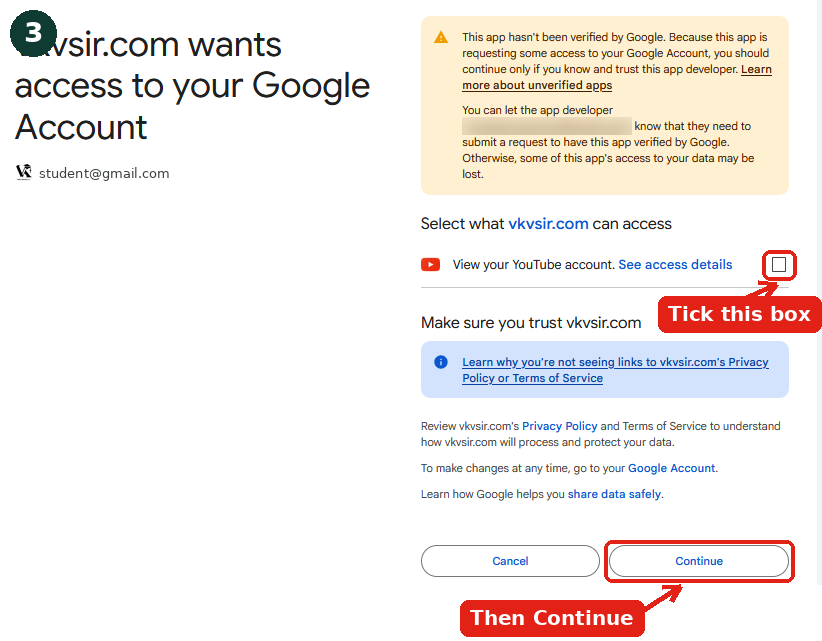
3Keep YouTube ticked
Keep "View your YouTube account" ticked and press Continue. We only read your subscription.
What you will see (it is safe)
Google shows these screens because our app is new and still under Google review. Just follow the red arrows.
Subscribers are approved instantly. Others get an email with the last step and are approved automatically. Privacy policy